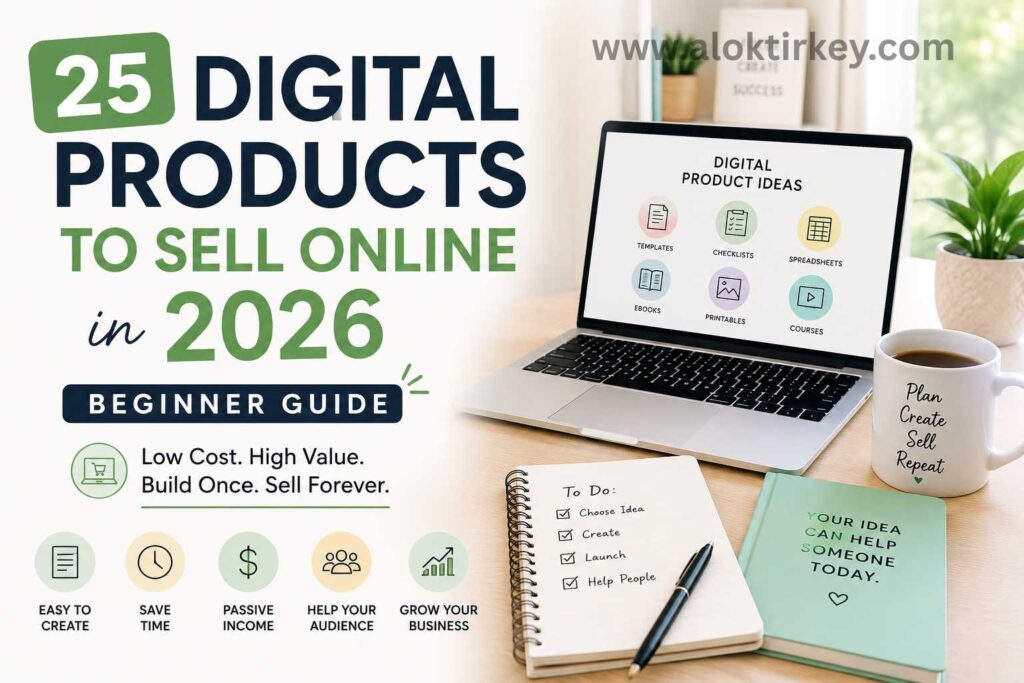
You can sell a file or online access repeatedly without storing products, managing inventory, or shipping orders. That makes digital products a practical option if you use a blog, YouTube channel, Pinterest, Instagram, or TikTok to build an online income stream.
A digital product is something customers buy and receive online, such as a PDF guide, Canva template, printable, spreadsheet, prompt pack, or video course. In 2026, you can create and deliver these products with low startup costs, but success still depends on solving a clear problem for a specific audience. One useful offer is better than ten weak products that nobody needs.
This beginner list covers 25 digital products you can sell online, including the easiest options to create first, plus a simple way to choose, test, and improve your idea before investing too much time. First, look at the product types that fit your skills and audience.
Key Takeaways
- Digital products let you sell files or online access repeatedly without inventory, warehousing, or shipping.
- Beginner-friendly options include short eBooks, checklists, printables, Canva templates, Notion templates, spreadsheets, prompt packs, and mini courses.
- The strongest first product solves one clear problem for one specific audience.
- Validate your idea by reviewing competing products, studying customer complaints, sharing free content, and collecting feedback before building the full version.
- Start with the smallest useful product, test every file and instruction, then improve it based on buyer questions and feedback.
What Makes a Digital Product Beginner Friendly?
The best digital products to sell as a beginner are simple to create, easy for customers to use, and focused on one clear problem. You don’t need advanced design skills or a large audience to get started. You need an offer that helps a specific person complete a task faster or with less confusion.
A useful test is simple: could you explain what the product does in one sentence? If the answer is no, the idea may be too broad for a first product.
### It Solves One Specific Problem
Beginner-friendly products usually have a narrow purpose. A “complete business success system” sounds impressive, but it would take a long time to create and may leave buyers unsure about what they receive.
A better product might help a new blogger plan 30 Pinterest pins, track monthly expenses, or write a first affiliate product review. Each idea gives you a clear customer, outcome, and list of features.
Before creating anything, complete this sentence:
“This product helps [specific audience] achieve [specific result] without [common frustration].”
For example, “This content calendar helps beginner bloggers plan four weeks of posts without staring at a blank screen.” That description gives you a stronger starting point than a broad promise about growing an online business.
A focused product also makes marketing easier. You can create a blog post, Pinterest pin, YouTube video, or short social media post that answers the same problem your product solves.
It Uses a Simple Format
Your first digital product should use a format you can learn quickly. Templates, checklists, short guides, spreadsheets, and printable planners usually require fewer technical skills than full software or long video courses.
Choose a format based on the customer experience:
- A template gives buyers a starting structure they can customize.
- A checklist helps them complete tasks in the right order.
- A short guide explains a process with examples.
- A spreadsheet organizes numbers, deadlines, or progress.
- A prompt pack gives users ready-to-edit ideas for a specific task.
You can create many of these products with tools such as Canva, Google Sheets, Notion, or a basic word processor. Delivery is also straightforward through platforms such as Gumroad, Payhip, or Etsy, depending on the product and your selling setup.
If you want to see how a complete beginner workflow fits together, this digital product selling tutorial walks through the process from product creation to sales.
It Is Fast to Build and Easy to Update
A first product should have a realistic version one. You might finish a useful 10-page guide or a 20-page planner in a weekend. A large course with dozens of lessons could take months, which increases the chance that you lose interest before you publish it.
Keep the first version focused. Include the instructions, examples, or pages customers need to get the promised result, then remove anything that only adds decoration.
Choose products that you can update without rebuilding everything. For example, you can revise a PDF guide when a tool changes, add new pages to a planner, or improve a Canva template after reading customer feedback.
This approach also gives you a way to learn what buyers want. One seller’s account of starting with digital products shows why feedback, adjustments, and realistic expectations matter more than trying to make a perfect first release. You can read the seller’s practical experience before choosing your own starting point.
It Has a Clear Value for the Buyer
Low effort for you doesn’t mean low value for the customer. A beginner-friendly product still needs to save time, reduce mistakes, organize information, or make a confusing task easier.
Ask yourself what changes after someone uses your product. Will they have a finished content plan? A cleaner budget? A ready-to-send email? A repeatable process for creating social media posts?
Your offer becomes easier to sell when the result is visible. Start with one audience and one outcome, then create the smallest product that delivers it. That gives you a practical first step and leaves room to build a better version after real customers use it.
25 Digital Products You Can Sell Online in 2026
You can sell many digital products without advanced technical skills or a large audience. The best choice depends on what you know, who you want to help, and how quickly you can create a useful first version.
Start with a product that gives buyers a clear result. A beginner blogger might buy a content calendar, while a new freelancer may want an email script pack or resume template. Browse current digital product ideas for 2026 to compare niches, then narrow your choice to one audience and one problem.
### eBooks, Guides, and Prompt Packs
Written products work well when you can explain a process in plain language. You don’t need to write a 200-page book. A focused guide with examples, screenshots, and action steps can give customers enough help to reach one goal.
- Short how-to eBooks: Write a 30- to 60-page guide about one specific outcome, such as starting a Pinterest account or creating an affiliate content plan.
- Niche checklists: Turn a complicated task into a printable PDF checklist, such as a blog launch checklist or YouTube publishing checklist.
- Swipe files: Give buyers ready-to-edit examples for emails, product descriptions, social captions, or affiliate disclosures.
- Beginner toolkits: Combine instructions, scripts, worksheets, and recommended resources in one practical package.
- AI prompt guides: Create prompts for a defined task, such as writing blog outlines, generating Canva ideas, or planning short-form videos.
- Career or side-hustle playbooks: Help readers complete one goal, such as finding freelance clients, building a portfolio, or launching a simple service.
Your guide should help readers take action, not just collect information. Include examples that match the buyer’s situation.
Planners, Trackers, and Printables
Printables are popular starter products because you can build them in Canva, export them as PDFs, and deliver them automatically. You can sell printable files through marketplaces or your own storefront, depending on your audience and product rights. 7. Daily planners: Create pages for priorities, appointments, meals, or focused work. 8. Weekly planners: Help buyers organize content, family tasks, study sessions, or business projects. 9. Budget and bill trackers: Build simple pages for income, recurring bills, spending, and savings goals. 10. Habit trackers: Let customers monitor routines such as exercise, reading, posting, or water intake. 11. Content calendars: Help bloggers and creators plan topics, publishing dates, keywords, and promotional channels. 12. Goal-setting worksheets: Guide buyers through choosing goals, breaking them into tasks, and reviewing progress.
Keep the layout easy to print and use. A clean page with enough writing space is more useful than a crowded design.
Templates for Work and Content Creation
Templates save customers time because they provide a structure instead of a blank page. They also give you room to create product bundles for different platforms or customer types. 13. Canva social media templates: Design editable posts for Instagram, Pinterest, YouTube thumbnails, or TikTok promotions. 14. Notion dashboards: Build systems for students, bloggers, freelancers, creators, or small business owners. 15. Excel or Google Sheets trackers: Organize expenses, affiliate links, content schedules, leads, or project tasks. 16. Resume templates: Offer professional layouts that job seekers can edit without design experience. 17. Portfolio templates: Help freelancers, writers, designers, and virtual assistants present their work clearly. 18. Email swipe templates: Create editable messages for client outreach, product launches, follow-ups, or customer support.
Before selling a template, explain which software buyers need and how they access the file. Clear delivery instructions reduce confusion and support requests.
Courses, Workshops, and Learning Products
Courses can bring in more revenue per sale, but they take longer to create and maintain. Start with a narrow lesson plan rather than trying to teach an entire subject. 19. Mini courses: Teach one skill in five to ten short lessons, such as setting up an affiliate blog or making Pinterest pins. 20. Workshop replays: Record a live training session and sell the replay with notes or a workbook. 21. Faceless video courses: Use screen recordings, slides, and voiceover when you don’t want to appear on camera. 22. Workbook and video bundles: Pair guided exercises with short lessons so customers can learn and practice. 23. Certification-style guides: Create a structured learning product for a simple skill, but avoid implying official accreditation unless you actually provide it.
You can publish a small course first, collect questions from students, and use that feedback to improve future lessons.
Creative and Design Files
Creative files suit buyers who need attractive assets but don’t want to design everything themselves. Your product must include clear licensing terms, especially when customers plan to use the files commercially. 24. Printable wall art: Sell themed artwork for home offices, nurseries, classrooms, or seasonal decor. 25. Digital invitations and party packs: Include editable invitations, games, signs, or thank-you cards for events. 26. SVG and PNG design bundles: Create graphics for crafters, content creators, or small businesses. 27. Mockup packs: Help Etsy sellers and digital product creators display their products in realistic scenes. 28. Lightroom presets and filter packs: Offer consistent photo styles for bloggers, influencers, photographers, or small shops.
The list above includes more than 25 formats because several categories can become separate product lines. For your first launch, choose one offer, publish it, and study buyer feedback. Product research such as current selling discussions can give you ideas, but customer problems should guide your final decision.
Which Digital Products Are Best for Complete Beginners?
If you’re creating your first digital product, choose something you can finish quickly and explain in one sentence. The best beginner products don’t require coding, advanced design skills, or months of production time.
Start with a format that gives your customer a clear result. Canva templates, printable planners, short eBooks, Notion or spreadsheet templates, and AI prompt packs are strong options because you can create, deliver, and update them with simple tools. They also fit audiences you may already reach through a blog, Pinterest, YouTube, Instagram, or TikTok.

### Canva Templates Are Easy to Create and Sell
Canva templates work well when your audience needs attractive content but doesn’t want to design everything from scratch. You could create Instagram posts for coaches, Pinterest pins for bloggers, or simple media kits for freelancers.
You don’t need to build dozens of designs at first. A small pack of 10 to 20 useful templates can give buyers a practical starting point. Include instructions that explain how to open the template, change the colors, replace images, and export the finished design.
Your product page should state whether customers need a free or paid Canva account. Also explain what buyers can and can’t do with the files, especially if you include stock graphics or photos.
Printable Planners Give You a Simple First Product
Printable planners are another good choice because customers understand the format immediately. You can create daily schedules, weekly content calendars, budget pages, habit trackers, or goal-setting worksheets with Canva or a word processor.
Focus on one type of user instead of making a generic planner. For example, a 30-day content planner for beginner bloggers has a clearer audience than a planner designed for everyone.
Keep each page easy to print. Use readable text, enough space for writing, and a layout that works in black and white when possible. You can sell a basic version first, then add extra pages after customers tell you what they need.
Short eBooks Explain a Process You Already Know
A short eBook is a good fit if you can teach one process clearly. You might explain how to create a Pinterest content plan, write a first affiliate review, organize freelance leads, or use AI to outline blog posts.
Avoid trying to cover an entire subject. A focused guide with examples and action steps is more useful than a long document filled with general advice. Aim for a practical outcome, such as helping your reader plan their first 30 posts or publish a simple lead magnet.
Before writing, outline the process in 10 steps. Then add explanations, examples, and a short worksheet where the reader needs to make a decision. You can compare more beginner-friendly formats in this guide to digital products.
Notion and Spreadsheet Templates Solve Organization Problems
Notion templates and Google Sheets files help customers organize tasks they might otherwise manage with scattered notes. You could create a content calendar, affiliate link tracker, monthly budget, client dashboard, or simple income tracker.
These products sell best when the setup feels easier than starting with a blank page. Add sample entries so buyers can understand how the system works, but label them clearly as examples. Include a short setup guide that explains which fields to edit and how to duplicate the file.
Choose the tool your audience already uses. A spreadsheet may suit budget tracking, while Notion may fit content planning or project management. Test the template yourself before listing it, because broken formulas or confusing pages can lead to refunds.
AI Prompt Packs Need a Clear Use Case
AI prompt packs can save buyers time, but generic collections usually feel weak. Create prompts for one audience and one task, such as writing product descriptions for Etsy sellers or generating video ideas for affiliate marketers.
Each prompt should include useful context, editable placeholders, and instructions for reviewing the output. You can also include examples that show how a buyer might adapt the prompt to a real project.
Before choosing your product, ask yourself four questions:
- Can you create version one in a weekend?
- Does it solve a problem your audience already has?
- Can you show the result in free content?
- Will you know how to improve it after customer feedback?
If you answer yes to most of them, choose one idea, publish the smallest useful version, and test it through a platform such as Etsy, Gumroad, or Payhip. Your first product should give you market feedback, not keep you stuck in endless preparation.
How to Choose the Right Digital Product to Sell
Choosing the right digital product starts with your audience, not the format you happen to like creating. A printable planner may be easy to design, but it won’t sell if your audience needs email scripts or a budgeting spreadsheet.
Look for the overlap between what you know, what people need, and what you can promote consistently. Your product should solve a problem that appears in the content you already want to publish on your blog, YouTube channel, Pinterest account, Instagram profile, or TikTok page.
Start With a Problem You Understand
Your knowledge doesn’t need to come from years of formal experience. You may have learned how to organize a content calendar, create Pinterest pins, find freelance clients, or manage a tight monthly budget. That experience can become a useful product when you explain the process clearly.
Write down questions people ask you, problems you recently solved, and tasks that still confuse beginners. Then look for a repeated need. If several people want help planning blog posts, a content calendar or blog planning workbook may fit better than a general eBook about online business.
Use this sentence to narrow your idea:
“I help [specific audience] achieve [clear result] with a [product format].”
For example, you might write, “I help beginner affiliate bloggers plan 30 days of content with a simple Google Sheets tracker.” That statement identifies the customer, outcome, and format in one line.
A narrow promise also gives you better marketing topics. You can publish a tutorial about planning affiliate content, then show how your tracker helps readers apply the process.
Match the Format to the Customer’s Task
The product format should make the buyer’s job easier. A guide works well when customers need explanations. A template works better when they need a ready-made starting point.
| Customer need | Product format to consider |
|---|---|
| Learn a process | Short eBook or mini course |
| Complete repeated tasks | Checklist, planner, or tracker |
| Create content faster | Canva, Notion, or spreadsheet template |
| Write better messages | Email swipe file or prompt pack |
| Practice a new skill | Workbook and video bundle |
Your own skills matter, too. If you write clearly but dislike recording videos, begin with a guide, workbook, or template. If you already teach on YouTube, a workshop replay or short video course may feel more natural.
Avoid choosing a course simply because courses can command higher prices. Production time, customer questions, updates, and video quality all add work. A focused PDF that solves one problem can be a stronger first offer.
You can compare product formats and launch steps in this guide to selling digital products before deciding which format fits your idea.
### Validate the Idea Before You Build It
Before spending weeks creating a product, check whether people already look for similar solutions. Search your idea on Etsy, Gumroad, and other marketplaces. Existing products can show you what buyers understand and what sellers offer, but don’t copy their content or design.
Read customer reviews when they are available. Pay attention to complaints about confusing instructions, missing file sizes, poor formatting, limited customization, or difficult delivery. These comments can reveal a clear way to make your version more useful.
You can also test interest with free content. Publish a short tutorial, share a sample page, or offer a small template to your audience. Notice which questions people ask and which topics receive saves, replies, email signups, or direct messages.
A simple validation process looks like this:
- Search for similar products and record common features.
- Read reviews and list problems buyers mention.
- Create a sample page, lesson, or template.
- Show it to your audience and ask for specific feedback.
- Pre-sell the product with a clear description when possible.
If nobody responds, improve the idea before building the full version. You may need a narrower audience, a clearer result, or a different format.
Choose the product you can explain, create, and promote without forcing the process. Then build the smallest useful version, publish it, and use real buyer feedback to decide what belongs in the next release.
Validate, Create, and Launch Your First Digital Product
Once you choose an idea, move through three stages: validate the demand, create a useful first version, and launch it where your audience can find it. This process keeps you from spending weeks designing a product before you know whether anyone wants it.
Validate Demand Before You Build
Start by checking whether people already search for solutions related to your idea. Search Etsy, Gumroad, Pinterest, Google, YouTube, and social media using phrases your target customer might type. Look at similar products, their prices, customer reviews, and the questions people ask in comments.
Existing products don’t mean the market is closed. They show that buyers understand the problem and may reveal ways to improve the offer. Read negative reviews carefully. Complaints about confusing instructions, limited file sizes, poor formatting, or missing examples can help you create a better product.
You can also test demand with free content. Share a sample planner page, a short tutorial, a template preview, or a social post that explains part of your process. Track saves, replies, email signups, and direct questions. Those actions often tell you more than a casual “This looks great” comment.
If you already have an audience, ask a focused question instead of requesting general feedback. For example, ask whether people would prefer a content calendar in Google Sheets or Notion. Specific answers help you choose both the format and the features.
A product idea has stronger evidence when people ask how to get the sample, request more pages, or offer to pay for the finished version.
Create the Smallest Useful Version
After validation, define the result your buyer should achieve. Then remove every feature that doesn’t support that result. Your first product might be a 12-page guide, a 15-template Canva pack, or a simple spreadsheet with clear instructions.
Use a basic production plan:
- Outline the product in 10 main points.
- Create the core pages, lessons, or files.
- Add examples that show how to use each part.
- Test the product from a buyer’s point of view.
- Write a short delivery and setup guide.
Test every link, formula, download, and editable field before publishing. Open your files on the devices your customers may use, such as a phone, tablet, and computer. If you sell a printable, check how it looks in color and black and white.
Keep your design clean. Buyers need to find the instructions, use the template, or complete the worksheet without guessing what to do next. Add a license page when needed, especially for Canva designs, graphics, fonts, photos, or commercial-use files.
### Set Up the Product Listing
Your sales page should answer the buyer’s main questions quickly. Explain who the product is for, what problem it solves, what files are included, and how the customer receives them.
Use a clear product title that describes the outcome. Instead of “Ultimate Creator Bundle,” try “30-Day Pinterest Content Calendar for Beginner Bloggers.” The second title gives shoppers a reason to click and includes phrases they may search for.
Include preview images that show the product in use. For a guide, display a few interior pages. For a template, show completed examples and blank versions. Never promise features or results your product doesn’t provide.
Platforms such as Gumroad, Payhip, and Etsy can handle digital delivery, but compare their fees, file limits, payment options, and customer policies before choosing one. If Gumroad is on your shortlist, this Gumroad selling guide shows how creators list and deliver products through the platform.
Launch, Learn, and Improve
You don’t need a large campaign for your first launch. Publish useful free content that connects directly to the product. A blog tutorial can lead to a template, a Pinterest pin can highlight a planner, and a YouTube video can demonstrate part of a course.
Give your first buyers a clear way to report problems or suggest improvements. Watch which questions appear repeatedly. If customers struggle to open a file, rewrite the delivery instructions. If they request a missing example, add it to the next version.
Launch with one product, one audience, and one clear promise. Once buyers use it, their feedback gives you a practical roadmap for your next update or related product.
Conclusion
You can start selling digital products without a warehouse, inventory, or a large budget. However, low startup costs don’t guarantee sales. Your strongest chance comes from solving one clear problem for one specific audience, whether you choose Canva templates, printable planners, short eBooks, Notion or Excel templates, or AI prompt packs.
Choose one product today and outline it in 10 bullet points. Then build a simple first version, test every file and instruction, and use feedback to improve it before creating anything else.
Your first product doesn’t need to be perfect. It needs to be clear, useful, and easy for the buyer to use.
This post is last updated on July 26, 2026
For More Information About How to start Digital Product Selling Business Visit Here.
This post may contain affiliate links. If you make a purchase through these links, I may earn a small commission at no extra cost to you.
Frequently Asked Questions About Digital Products to Sell Online
What are the best digital products for beginners?
Short eBooks, checklists, printable planners, Canva templates, Notion templates, spreadsheets, and AI prompt packs are practical choices for beginners. These formats are usually faster to create, easier to deliver, and simpler to update than a large course or software product.
How do you choose a digital product to sell?
Start with a problem you understand and an audience you can reach. Then choose a format that makes the customer’s task easier, such as a guide for learning a process, a template for starting faster, or a tracker for organizing information.
How can you validate a digital product idea?
Search marketplaces such as Etsy and Gumroad for similar products, then read customer reviews to find complaints and missing features. You can also share a sample page, tutorial, or free template and track questions, saves, replies, email signups, or pre-orders.
Where can you sell digital products?
You can sell digital products through platforms such as Etsy, Gumroad, or Payhip, or through your own storefront. Compare each platform’s fees, file limits, payment options, delivery process, and customer policies before choosing one.
What should a first digital product include?
A first product should include the files, instructions, examples, and setup information buyers need to reach one clear outcome. Test every link, formula, download, and editable field before publishing, and explain any software or account requirements.